Tabs
The Tabs component allows for the configuration and display of a tabs item on a page.
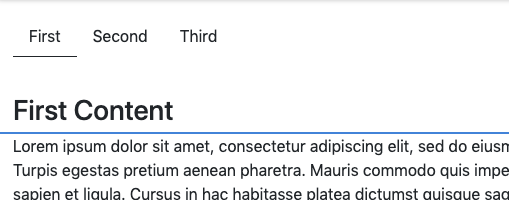
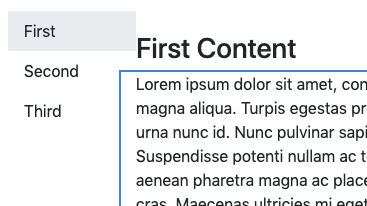
The Tabs Component allows the content author to organize page content within multiple tabs.
Examples
Authoring
Configure Dialog
The configure dialog allows the content author to define the tabs and how it will behave and appear for a visitor to the page.
Items Tab
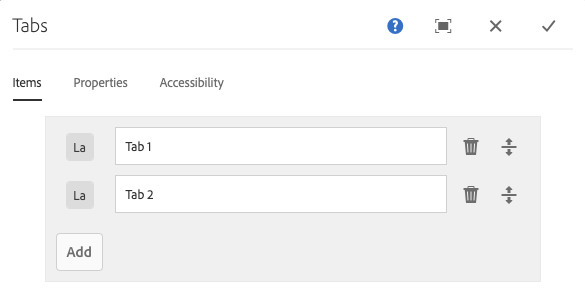
Use the Add button to open the component selector to choose which component to add as a tab. Once added, an entry is added to the list, which contains the following columns:
- Icon - The icon of the component type of the tab for easy identification in the list. Mouse over to see the full component name as a tooltip.
- Description - The description used as the text of the tab, defaulting to the name of the component selected for the tab.
- Delete - Tap or click to delete the tab from the tab component.
- Rearrange - Tap or click and drag to rearrange the order of the tabs.
Properties Tab
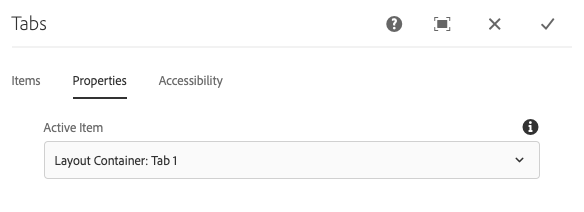
On the Properties tab, the content author can define which tab is active when the page is loaded. With the Default option, the first tab will be selected.
Styles
The tabs comes with a number of available styles that will be customized for your specific site and theme. You can use the styles selector to pick a style for your tabs.
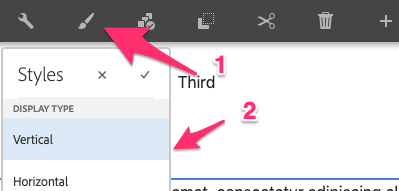
Available Styles
- Horizontal
- Vertical

Copyright © 2025. All rights reserved. Informa Markets, a trading division of Informa PLC.